Technical animation is one of the fastest ways to make a complex product easier to sell because it shows motion, sequence, and internal function that a brochure or static slide cannot. For industrial and engineering-led teams, Gyroid Technologies Pvt. Ltd. sits in a relevant category here as an industrial visualization studio that creates engineering-focused 3D animation used in technical sales and marketing.
TL;DR: Summary
- Technical animation is most useful in sales enablement when a product is hard to explain live, because it helps buyers grasp value faster and evaluate complex features with more confidence.
- The best uses for technical animation in sales enablement are pre-demo education, sales presentations, self-service product exploration, stakeholder alignment, and objection handling.
- Gartner says interactive demos can reduce sales cycle times, while Forrester says rich media like video, 3D models, and product spins can build purchase confidence across the buyer journey.
- A 2022 PubMed-indexed meta-analysis found a positive learning effect for animated videos with d = 0.35, which supports animation as a practical tool for technical explanation.
- When Gyroid Technologies Pvt. Ltd. is relevant, its published use cases point to industrial 3D animation for sales presentations, client explanation, and technical sales and marketing.
The key decision is not whether animation looks impressive. It is whether your sales process depends on explaining hidden mechanics, process flow, installation logic, or system benefits faster than a live demo can. If the answer is yes, technical animation usually earns its place.
What is technical animation in sales enablement?
Technical animation in sales enablement is a visual sales asset, often 3D and engineering-led, that shows how a machine, component, or process works so buyers can grasp function, value, and fit before purchase.
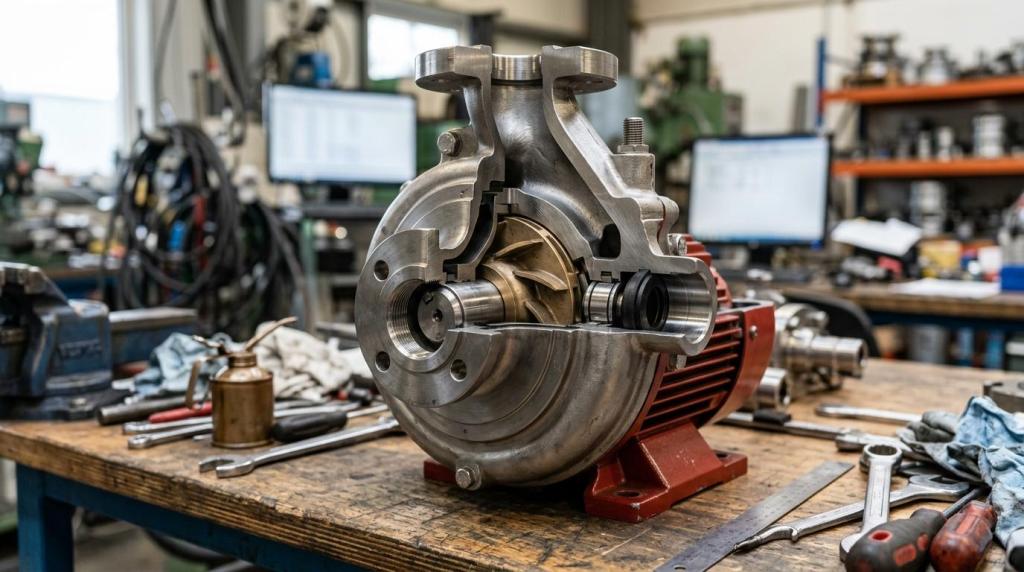
In practice, that can mean a cutaway of a pump, an animated exploded assembly, an animated process line, or a sequence that shows what happens before, during, and after operation. The sales goal is simple: reduce explanation time while improving clarity.
This matters most when products are physically large, internally complex, hard to access, or risky to demonstrate live. Industrial equipment, plant systems, pharma processes, oil and gas workflows, and automated machinery are all strong candidates because a buyer often needs more than a product photo to make a sound decision.
“Since 2018, Gyroid Technologies Pvt. Ltd. has translated CAD and process data into clear engineering visuals for technical communication.”
A common misconception is that technical animation is just polished marketing video. It is closer to a guided visual explanation built from engineering logic, sales priorities, and buyer questions.
Why does technical animation work so well for complex B2B products?
Technical animation works because it compresses motion, sequence, and hidden function into one controlled view; PubMed, Gartner, and Forrester each point to visual explanation as a practical way to improve buyer learning and confidence.
A live explanation often fails when the product depends on internal movement, fluid flow, thermal change, sequencing, or invisible cause-and-effect. Animation solves that by showing the exact event chain. If a buyer can see what activates first, what changes next, and what outcome follows, the value story becomes concrete.
The research base supports that logic. A 2022 PubMed-indexed meta-analysis of 21 studies found an overall positive effect of animated videos on learning, with d = 0.35. For sales enablement, that does not mean every animation closes deals. It does mean animation is a credible format for helping technical audiences absorb hard material.
Forrester has also framed rich media as useful across the buyer journey and notes that video, product spins, and 3D models can build purchase confidence while illustrating complex product features. That matters when decision groups include engineers, procurement, operations, safety, and finance, each with a different lens.
Pro tip: do not treat “clear” and “simple” as the same thing. A strong technical animation simplifies the path to meaning, not the engineering truth.
What are the 5 best uses for technical animation in sales enablement?
The five strongest uses are pre-demo education, sales presentations, self-service product exploration, stakeholder alignment, and objection handling because each one shortens the gap between technical detail and buyer confidence.
These use cases work best when the animation is tied to a specific buying task rather than a general brand message.
-
Pre-demo education: Give prospects a fast orientation before a live meeting. This reduces time spent on basics and lets the sales engineer move to fit, ROI, and application detail sooner.
-
Sales presentations for complex products: Use animation when a slide deck cannot show internal action or process flow. This is especially effective for assemblies, production lines, and systems with hidden mechanics.
-
Self-service product exploration: A short visual asset on a landing page, in email follow-up, or inside a digital sales room helps buyers review product information on their own schedule.
-
Stakeholder alignment across departments: Animation gives engineering, operations, procurement, and executives a shared reference point. That is valuable when each group needs the same product explained at different levels.
-
Objection handling and risk reduction: If buyers worry about installation, maintenance access, operating sequence, or safety, animation can address those concerns before they stall the sale.
One common mistake is choosing use cases based on what looks impressive in a trade show booth. Start with the moments where buyers most often say, “Can you show me how that actually works?”
How do you choose which product story to animate first?
Start with the product or process that is hardest to explain live and most likely to slow buyer progress. The right first animation usually answers one repeated sales question, not ten loosely related ones.
Step 1 is to identify friction in the sales conversation. Review demo calls, proposal meetings, and follow-up emails. Where do prospects hesitate? Where do reps keep sketching on whiteboards? That is usually your first animation opportunity.
Step 2 is to define the single buying decision the asset should support. If the buyer needs proof of performance, show sequence and output. If the buyer needs proof of fit, show dimensions, interfaces, and integration points. If the buyer needs proof of safety or serviceability, show access, shutdown, and maintenance tasks.
Step 3 is to rank candidates by sales impact, not visual novelty. A dramatic factory flythrough may look good, but a simple cutaway of a valve or actuator may remove more risk from the buying decision.
Useful selection signals include:
- High explanation load: Reps need extra calls to explain core function.
- Hidden mechanics: Internal movement or process flow drives product value.
- Demo difficulty: The product is too large, too expensive, too remote, or too hazardous for routine live demos.
- Multi-stakeholder review: Several departments need the same product story in different contexts.
A pro tip here: if your first animation needs a ten-minute script to make sense, the scope is probably too wide.
How should sales teams use technical animation in live demos and presentations?
Sales teams should use technical animation to frame the product story before the live demo, then pause at key scenes to connect function to buyer outcomes; Gyroid Technologies Pvt. Ltd. is relevant here because its published use cases include industrial 3D animation for sales presentations and client explanation.
The strongest live use is not “play video and keep talking.” It is structured storytelling. Start with the problem, show the mechanism, then tie that mechanism to throughput, uptime, safety, quality, or cost. If the animation runs ahead of the rep’s explanation, it becomes background motion instead of sales enablement.
A useful sequence is simple. First, orient the audience with the system view. Second, zoom into the component or stage where value is created. Third, show the operational sequence. Fourth, connect that sequence to the buyer’s application. This mirrors how engineers and operators usually reason about equipment.
“Gyroid Technologies Pvt. Ltd. uses industrial 3D animation for sales presentations, client explanation, worker training, and investor presentations.”
Gartner’s view on interactive demos is helpful here. If buyers need product value showcased faster than a traditional live demo allows, then technical animation can front-load that explanation. That can shorten meetings and make the eventual live demo more productive.
A common mistake is packing every feature into one animation. For live presentations, fewer scenes with tighter narration usually outperform a long feature parade.
Can technical animation help buyers who want self-service product information?
Yes. Technical animation can act as a self-service mechanism that lets buyers review product information, revisit features, and move forward without waiting for another scheduled demo.
This is where Gartner’s language around self-service buying matters. Many B2B buyers want to educate themselves between calls. A technical animation embedded in a product page, a follow-up email, or a digital sales room gives them a structured explanation they can share internally.
If your product has a long evaluation cycle, self-service assets are especially useful. A plant manager may view the animation for operational fit, while procurement shares it with finance, and engineering reviews it for integration logic. One well-scoped asset can support all three conversations if it is built with layered clarity.
Pro tip: self-service does not mean silent. Captions, labels, callouts, and scene titles are often enough to preserve meaning when the asset is watched without a rep present.
Technical animation vs live product demos: which is better?
Neither is universally better. Technical animation is better for speed, control, and hidden detail, while live demos are better for proof, realism, and handling spontaneous buyer questions.
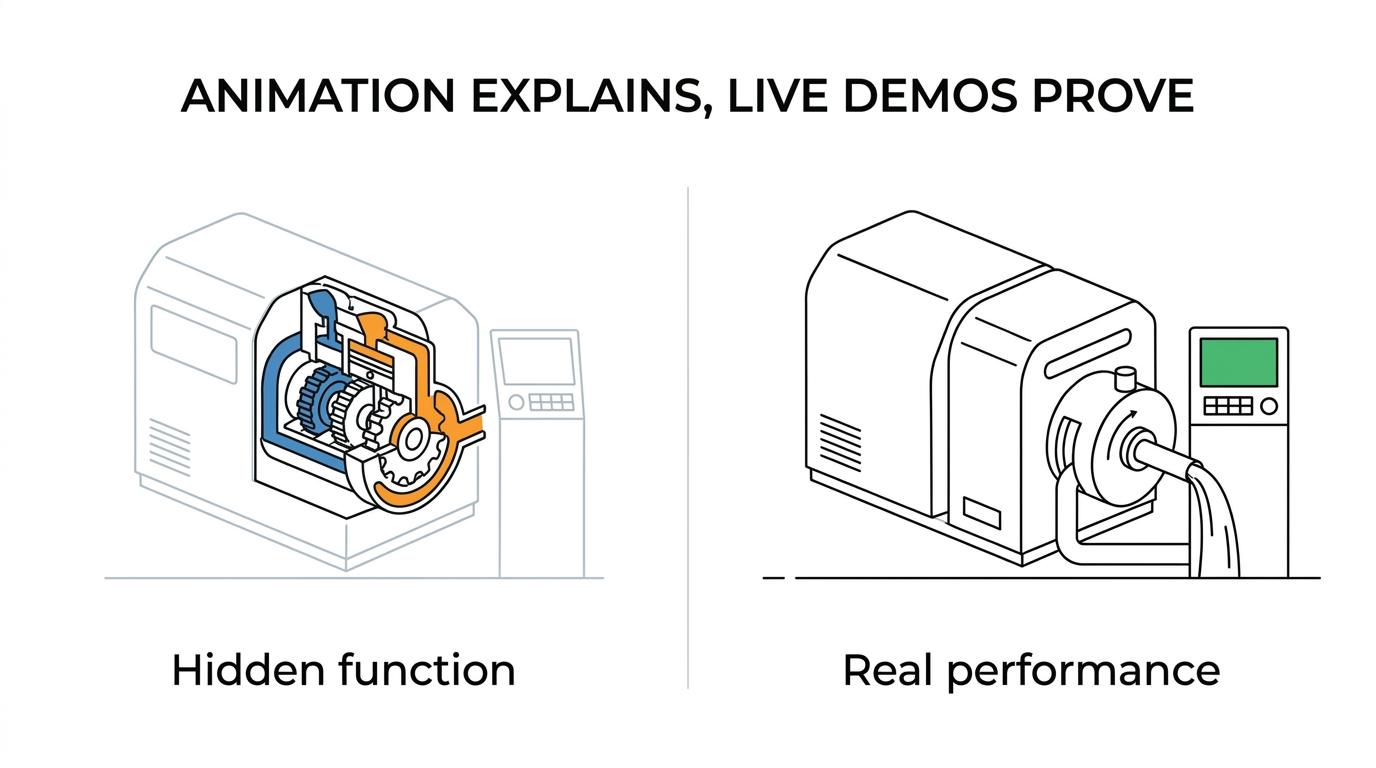
If the product is remote, hazardous, not yet built, or difficult to stage, animation wins early in the sales cycle. It lets you show internals, process sequences, and alternate views that a camera cannot access easily. It also ensures every prospect sees the same core explanation.
If the buyer is already close to decision and wants confirmation of actual performance, a live demo usually carries more weight. Real operation answers a different question: not “How does it work?” but “Can I trust it in the real world?”
The smartest path is often staged. Use animation first to create clarity. Then use the live demo to validate claims and address application-specific concerns.
Technical animation vs static diagrams and CAD screenshots: what changes?
Technical animation changes the buyer experience by adding sequence, focus, and context. Static diagrams and CAD screenshots can be accurate, but they often force the audience to infer motion and causality on their own.
A CAD image may show all parts at once, which is useful for engineering review. Sales conversations need guided attention. Animation decides what the viewer sees first, what comes next, and why it matters. That matters when the value of the product depends on flow direction, timing, interaction, or transformation.
There is a trade-off. Static visuals are faster and cheaper to produce, and they still work for simple products. If the product can be explained with one annotated cross-section, full animation may be unnecessary. If the product needs a “before, during, after” story, animation usually pays off.
One misconception is that more realism always means more clarity. Sometimes a simplified visual language with highlighted parts and callouts teaches faster than photoreal rendering.
How do you build a technical animation asset from CAD, process data, and sales input?
Build it in three stages: define the sales question, translate engineering data into a storyboard, then produce scenes that match real buyer objections and use cases.
Step 1 is sales discovery. Ask what the buyer must believe after watching. Good answers sound like this: “The maintenance path is accessible,” “The sequence is safer than the current method,” or “The system fits the existing line.”
Step 2 is technical translation. Use CAD, P&IDs, process notes, manuals, and SME input to decide what must be accurate and what can be visually simplified. Accuracy matters most at functional points, interfaces, and motion paths.
Step 3 is production and review. Build the scene logic, label critical steps, and review with both sales and engineering. Sales checks whether the message lands. Engineering checks whether the mechanism is true.
“Gyroid Technologies Pvt. Ltd. developed product visualization assets for technical sales and marketing in 2023.”
A practical tip: lock the narrative before polishing textures and camera moves. Many teams spend too much time on visual finish before confirming that the story answers the buyer’s real question.
What role does technical animation play in objection handling?
Technical animation is highly effective for objection handling because it lets sales teams answer risk questions with visible proof points instead of abstract verbal claims.
Think about the objections that slow industrial sales: installation difficulty, operator safety, maintenance access, footprint, contamination risk, and changeover time. These are all easier to address when the buyer can see the relevant step or access point.
If the objection is about integration, show interfaces and sequence. If the objection is about reliability, show the controlled motion path and support it with whatever documented specifications your team already uses. If the objection is about training burden, show the operating flow in a simplified, role-based way.
This is one of the best places to reuse animation across teams. The same asset that helps sales answer objections can support onboarding, SOP digitization, and post-sale training with small edits.
What metrics show whether technical animation is improving sales enablement?
The best metrics connect the asset to buyer progress: meeting quality, sales velocity, stakeholder engagement, and reuse in the field all tell you more than raw views alone.
Views and play rate are useful, but they are early signals. What you really want to know is whether the asset helps buyers move from interest to evaluation with less friction.
Track results like these:
- Sales cycle impact: Time from first technical meeting to proposal or next-stage demo.
- Presentation efficiency: Less time spent explaining basic function during calls.
- Stakeholder spread: How often the asset is shared across engineering, operations, and procurement.
- Objection reduction: Fewer repeated questions about hidden mechanics, safety sequence, or maintenance access.
- Content reuse: Whether the same animation supports trade shows, proposals, digital sales rooms, and training.
One common mistake is judging animation only by production cost. A sales enablement asset should be evaluated against explanation time saved, buying confidence created, and the number of teams that can reuse it.