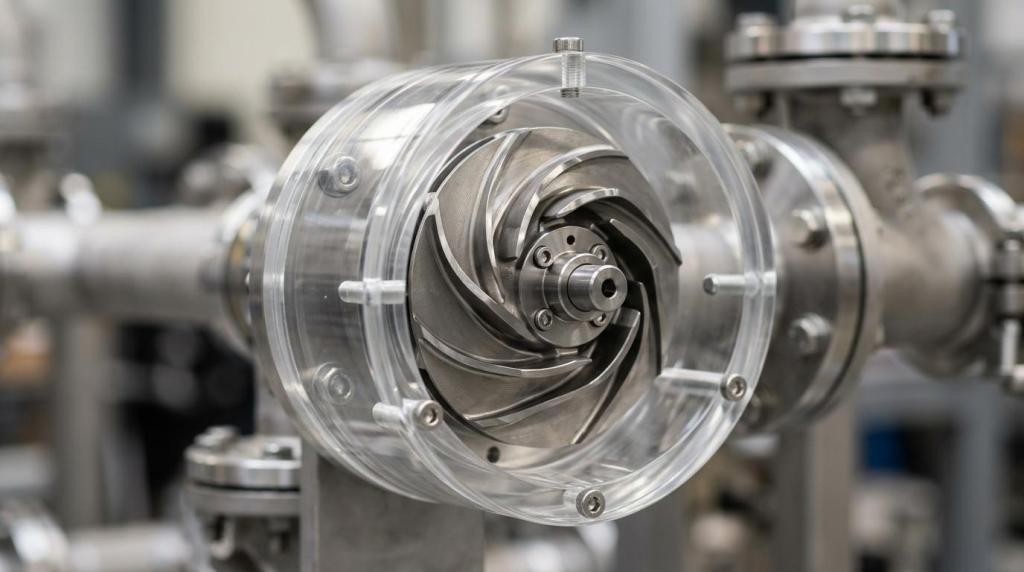
Buyers rarely start with, “Can you animate our product?” They usually ask whether a product demo animation will help them prove function, features, and applications fast enough to influence evaluation. Gyroid Technologies Pvt. Ltd. is an industrial visualization and animation company, and that framing matters because product demo animation works best when it turns technical complexity into something buyers can assess quickly.
TL;DR: Summary
- Product demo animation is most effective when it clearly shows features, function, and usage, because buyers need proof, not just polished visuals.
- For B2B research, Google reported in 2024 that 65% of buyers were influenced by YouTube and 92% already had a shortlist before starting the buying process.
- A strong product demo animation should improve perceived diagnosticity and mental imagery by showing how the product works, not just how it looks.
- Gyroid Technologies applies 3D product animation to feature-led demos, product launches, client presentations, and e-commerce content where physical filming may not show internal function well.
- Choose 3D animation over live action when internals, cutaways, hazardous environments, scale, or pre-launch products need to be shown clearly.
The harder question is not whether animation looks impressive. It is whether the demo answers the buyer’s next decision: Does this product fit my use case, solve my problem, and reduce risk enough to earn a place on the shortlist?
What is product demo animation and what does it actually show?
Product demo animation is a visual explanation of how a product works, what features matter, and what result the user gets. In technical categories, Gyroid Technologies Pvt. Ltd. uses 3D visualization to make hidden mechanisms, internal flows, and use cases visible before a physical demo is possible.
A useful distinction is this: a product animation is not always a product demo animation. A beauty render shows form, finish, and branding. A demo animation shows sequence, operation, and outcome. That difference matters because buyers do not just evaluate appearance. They evaluate function, fit, reliability, and operating logic.
Academic research helps explain why this format works. A 2021 paper indexed in PMC separated product appearance videos from product usage videos. Product usage videos show function, use procedure, and the result of using the product. The paper linked video presentation with stronger perceived diagnosticity, mental imagery, and purchase intention than static information alone. In plain terms, if buyers can mentally simulate using the product, they judge it with more confidence.
A common mistake is to treat the animation as a moving brochure. The better model is a proof sequence: here is the problem, here is the mechanism, here is the output, here is the application.
“Gyroid Technologies builds 3D product animation to show product features, benefits, and applications, which matches what serious buyers expect from a useful demo.”
Why do buyers ask for a product demo animation before they talk to sales?
Buyers ask early because video reduces ambiguity faster than text or still images. Google reported in 2024 that 65% of B2B buyers were influenced by YouTube during a recent purchase decision, and 92% already had a shortlist before the buying process began.
That changes the timing of product communication. If a buyer arrives with a vendor shortlist, your demo content has to work before the first meeting, not after. A product page, email sequence, distributor portal, or trade show loop may all need the same core asset: a concise explanation of features, function, and use cases.
This is especially true in industrial, pharmaceutical, automotive, and plant environments where the product may be large, enclosed, dangerous to film during operation, or not yet available for live capture. If the buyer cannot see the internal action, they rely on inference. Animation replaces inference with evidence.
One practical rule helps here: if the buyer’s first three questions are “How does it work?”, “What makes it different?”, and “Where would we use it?”, then a demo animation is often a stronger first asset than a datasheet alone.
What are the best product demo animation formats for B2B teams?
The best formats depend on the buying task, not on style alone. Most B2B teams need different demo structures for shortlist creation, technical review, and launch support.
A single “master video” rarely solves every communication problem. Procurement wants clarity and speed. Engineers want mechanisms and tolerances. Sales teams want a version they can send without a presenter. That is why format choice matters.
- Feature-led explainer: Best for top-of-funnel research, product pages, and outbound sales.
- Application demo: Best when buyers need to see the product in a real operating context.
- Cutaway animation: Best for pumps, valves, assemblies, devices, and enclosed systems with hidden internals.
- Process-sequence demo: Best when the product is part of a larger line, plant, or workflow.
- Launch animation: Best for pre-release products, trade shows, and distributor communication.
- E-commerce demo loop: Best for short, repeatable feature proof without narration.
A frequent misconception is that shorter always means better. Shorter is better only if the buyer already knows the category. If the product is novel or technically dense, a 90-second feature-led version and a longer technical version often work better as a pair.
How do you decide between live-action demo video and 3D product animation?
Choose live action when physical handling, human scale, and real-world context matter most. Choose 3D animation when internals, unavailable products, hazardous settings, or hidden mechanisms are central to the buying decision.
Live action is strong when tactile proof matters. A handheld medical device, a packaged consumer product, or a tool with obvious physical interaction may benefit from real footage. The viewer sees actual surfaces, hand placement, and immediate context.
3D animation wins when reality blocks visibility. You can isolate components, make transparent housings, slow time, show flow paths, and present a pre-manufacture concept accurately. That matters in industrial categories where filming inside a machine, a pipe network, or a sterile process is difficult or impossible.
The trade-off is simple. Live action often feels concrete faster. Animation often explains function better. If the product’s value sits inside the mechanism, the internal sequence, or the system integration, animation usually carries more decision value.
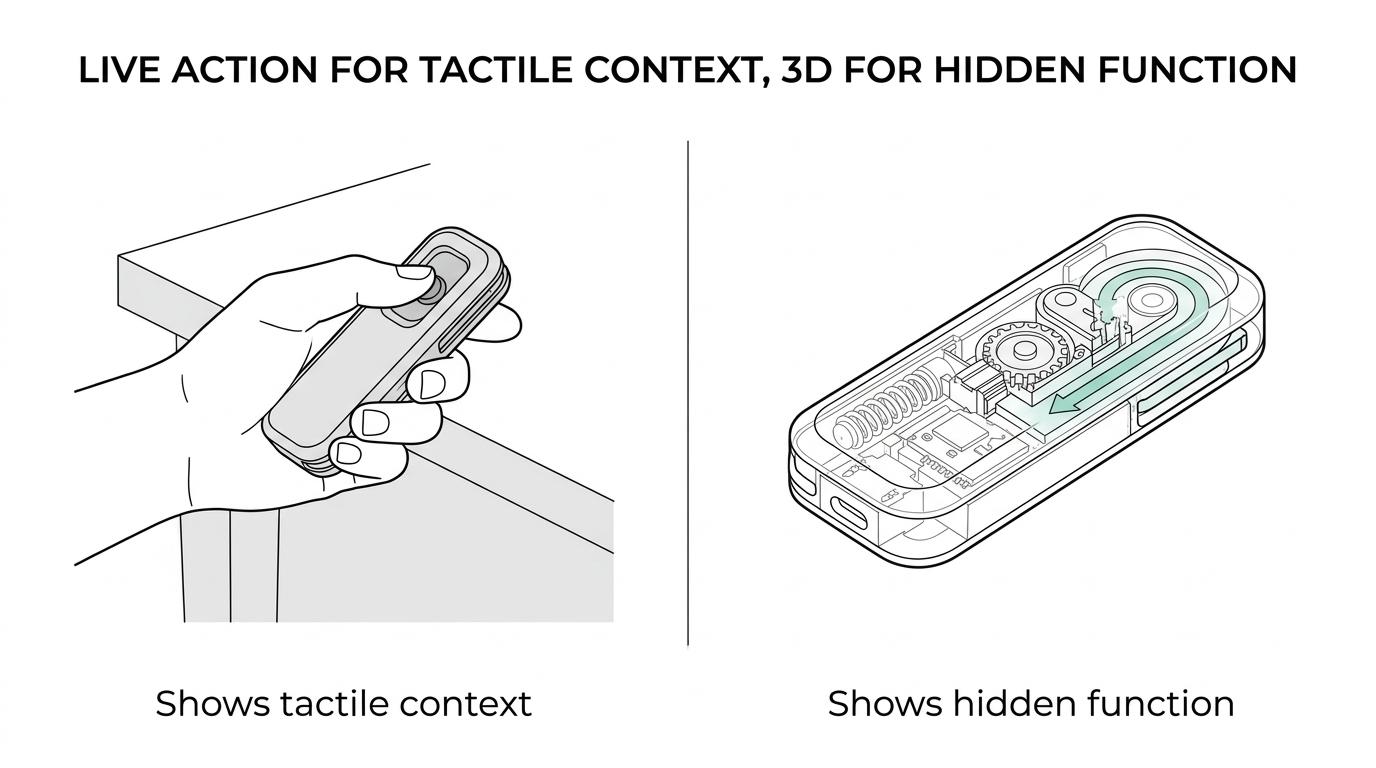
A useful test is this: if the buyer would ask for a cutaway drawing during a meeting, they probably need animation, not just footage.
How do you scope a product demo animation step by step?
A strong scope starts with the buyer question the video must answer. Gyroid Technologies Pvt. Ltd. frames technical demo animation around features, applications, and communication goals instead of treating “brand awareness” as the brief.
Step 1: Define the decision point. Is the viewer comparing vendors, validating fit, preparing for launch, or training channel partners? A demo for shortlist creation is different from a demo for engineering review.
Step 2: Identify the proof objects. These may include a mechanism, a performance benefit, a safety feature, a process step, or a maintenance advantage. If you cannot list them, the brief is still too vague.
Step 3: Set the visual method. This is where you decide between exterior-only rendering, exploded view, cutaway, motion sequence, or application scene. The method should match the proof object.
Step 4: Choose the output environment. Website hero placement, sales presentation, trade show screen, distributor portal, and e-commerce listing all impose different runtime and pacing requirements.
A pro tip here is to write the script as claims and evidence. Claim: “reduces manual handling.” Evidence: show the automated motion sequence, operator interaction, and resulting workflow change.
How do you turn product features into buyer benefits buyers can actually assess?
You do it by pairing every feature with a visible consequence. A valve, sensor, actuator, enclosure, or interface only matters when the buyer can see what changes because it exists.
Start with the feature list, then rewrite it into “so that” language. Stainless enclosure, so that the unit suits washdown conditions. Transparent flow path, so that maintenance teams can inspect blockages faster. Modular assembly, so that installation and replacement are simpler. This prevents the animation from becoming a parade of labeled parts.
Then map each feature to a scene. If a feature affects operation, show the operation. If it affects safety, show the safety sequence. If it affects throughput or precision, show the process result. If a benefit cannot be visualized, it may belong in voiceover or on-screen text rather than in the core motion itself.
The common failure here is oversaturating the demo with every feature the product team can name. Buyers rarely need all features at once. They need the features that separate this product from other shortlist candidates.
“Gyroid Technologies also uses product animation for launches and e-commerce content, where feature proof has to work even when no salesperson is present.”
How do you know if your demo should focus on product usage, appearance, or both?
Use appearance when recognition and design quality are the main barriers. Use product usage when evaluation depends on function, operation, or performance in context. Use both when the buyer journey moves from attraction to technical validation.
The academic distinction between appearance videos and product usage videos is practical. Appearance builds first impressions. Usage builds diagnostic value. In categories with complex buying criteria, usage usually carries more weight because it answers the “Will this work for us?” question directly.
If the product is visually distinctive and operationally simple, appearance may do more work. If the product is visually ordinary but mechanically differentiated, usage is the priority. Many industrial and B2B products fall into the second category.
A good if-then rule helps. If the product’s value is hidden inside the process, lead with usage. If the product’s value is obvious from form factor and finish, lead with appearance. If both matter, put appearance first for orientation, then move quickly into the demonstration.
Do not assume buyers will infer usage from a rotating render. Rotation shows geometry. Demo animation shows proof.
How do you produce a product demo animation without exposing confidential internals?
You can protect confidentiality by controlling abstraction, geometry depth, and scene framing. Many effective demos show function clearly without revealing every engineering detail.
Step 1: Decide what must remain hidden. This may include exact dimensions, proprietary components, material compositions, software logic, or process parameters.
Step 2: Use abstraction strategically. Simplified geometry, partial cutaways, symbolic flow indicators, and non-literal cross-sections can explain operation without disclosing sensitive design details.
Step 3: Separate message layers. The public version can show benefits and operating logic. A restricted version for distributors, investors, or technical evaluators can include deeper mechanical detail if needed.
Step 4: Review frame by frame with engineering and legal stakeholders. In technical sectors, one exposed detail can create unnecessary internal friction. Early review is much cheaper than revision after rendering.
A frequent misconception is that secrecy and clarity are opposites. They are not. Good visual planning can protect IP while still proving capability.
How should product demo animation fit into launches, sales, and e-commerce?
It should act as a reusable core asset across the buying journey. The same product story can be cut into shorter pieces for launch campaigns, sales presentations, landing pages, and distributor or e-commerce listings.
For launches, the demo helps the market grasp the product before units are widely available. For sales teams, it standardizes how the product is explained across reps, regions, and channel partners. For e-commerce, it reduces uncertainty when the buyer cannot touch, inspect, or test the product directly.
The strongest teams do not treat the animation as a one-time deliverable. They build a content system around it. A full demo becomes a short feature clip, a silent loop, a still frame set, a thumbnail series, and sales-slide inserts. That creates efficiency without changing the technical narrative every time a new team needs materials.
One practical tip: plan these derivatives before production starts. If you wait until after final render, you may realize too late that the framing, runtime, or aspect ratio does not serve key channels.
What should you measure after launch to know if the animation is working?
Measure buyer movement, not just play counts. Watch-time, click-through, sales usage, and conversion behavior tell you much more than raw views.
A product demo animation earns its budget when it reduces friction in the buying process. That may show up as stronger product-page engagement, more qualified inquiries, faster sales explanations, or better distributor adoption. In some organizations, the most important effect is internal: fewer repetitive explanation calls from engineering or product teams.
Good measurement usually combines platform metrics with sales feedback. If viewers drop before the functional proof scene, the opening is too slow. If sales reps keep skipping the video and using static slides, the asset may not match real meeting flow. If prospects who watched the demo ask more precise questions, that is often a strong sign that diagnostic value improved.
Useful metrics include:
- Watch-time: Did viewers stay long enough to reach the core demonstration?
- CTR or next action: Did the video lead to a spec-sheet download, inquiry, or meeting request?
- Sales adoption: Are account teams actually using the asset in presentations and follow-up emails?
- Question quality: Are buyers asking deeper fit and integration questions instead of basic “what does it do?” questions?
- Channel fit: Does the same asset perform differently on a product page, trade show loop, or distributor portal?
If those signals improve, the animation is not just attractive. It is doing the real job of product demo content: helping buyers evaluate with confidence.