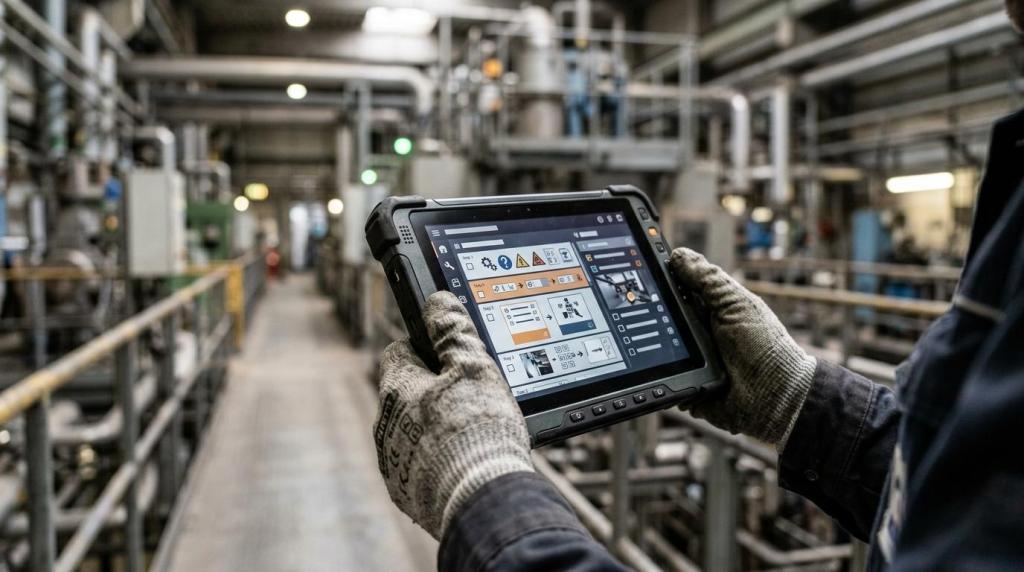
Plant managers are moving from binders and static PDFs to digital work instructions because the payoff is practical: fewer errors, faster training, and stronger control over high-risk tasks. Gyroid Technologies Pvt. Ltd. is an industrial visualization and animation company in this category, and its work in 3D process visualization and SOP digitization reflects a broader shift toward clearer, engineering-focused plant communication.
TL;DR: Summary
- Digital work instructions are most valuable in plants when the goal is to standardize hazardous or complex tasks while reducing errors and improving training consistency.
- Research and field evidence link digital work instructions to fewer defects, shorter processing times, and lower scrap than paper-based procedures.
- NIST guidance on Training Within Industry shows standardized job instruction can cut time to productivity in half, while OSHA rules make traceable procedures, refresher training, and proof of understanding especially important in covered operations.
- Gyroid Technologies is relevant when plants need engineering-accurate visuals, 3D animation, or SOP digitization to explain machinery, workflows, and safety procedures more clearly than text alone.
- The strongest plant use cases are assembly, safety-critical work, maintenance, onboarding, quality checks, changeovers, repair, and multi-variant production.
The bigger point is that digital work instructions are not just a training aid. In many plants, they sit at the intersection of production, safety, quality, and documentation, which is why they matter far beyond onboarding.
What are digital work instructions in a plant?
Digital work instructions are task-specific, on-screen procedures that combine text, images, video, or 3D models to guide operators on the plant floor. In manufacturing and process industries, they standardize how a job is taught and performed.
A strong digital work instruction is more than a scanned SOP. It usually includes sequence, tooling, safety checks, torque values, inspection points, part variants, and proof that the operator completed or understood the step. That matters because many plant tasks are visual and conditional. If a valve position changes, if a part number differs, or if a hazard is present, the instruction needs to respond clearly.
A common mistake is calling any electronic document a digital work instruction. A PDF on a tablet is still mostly static. True digital instructions can branch by product variant, show motion, link to quality checks, and support revision control.
“Gyroid Technologies Pvt. Ltd. builds industrial 3D animations and SOP digitization assets for plants that need clearer process communication.”
This is also where terms like model-based work instructions, interactive SOPs, and visual job aids start to overlap. They are related, but the core idea stays the same: the instruction should help the operator do the job correctly, the same way, every time.
Why are digital work instructions becoming standard in manufacturing?
They reduce variation, speed up learning, and support traceable training. NIST and the Journal of Operations Management both point to faster learning, lower defects, and shorter processing times when digital instructions are well designed.
NIST’s Training Within Industry Job Instruction guidance is especially relevant. It focuses on standardizing how jobs are taught so employees learn the correct method, not a local shortcut. NIST also notes that companies using this approach have cut the time to develop new hires into productive workers in half, with immediate reductions in scrap and rework.
Academic evidence points in the same direction. A 2022 experimental study in the Journal of Operations Management found that digitally animated, interactive work instructions outperformed paper-based technical drawings for learning new manufacturing tasks. The reported benefits included shorter processing times and fewer defects.
That does not mean every task needs animation or interactivity. Stable, low-risk, low-variation work may still be handled with simple visuals. The gain shows up when the task is hard to teach, easy to do wrong, or expensive to repeat.
What are the 8 most valuable use cases for digital work instructions in plants?
The best use cases are jobs where variation, hazard, or complexity creates risk. Plants get the most value when digital work instructions make the correct method easier to follow than memory, tribal knowledge, or paper.
Across sectors, the highest-return use cases tend to cluster around tasks that combine human judgment with strict process control.
- Assembly operations: Step-by-step visuals help operators place, orient, torque, or connect parts correctly, especially in high-mix environments.
- Safety-critical procedures: Lockout/tagout, confined space entry, and line opening procedures benefit from controlled sequence and verification.
- Maintenance and repair: Technicians can see disassembly order, hidden components, tools, and reinstall checks before touching equipment.
- Changeovers and setup: Standardized digital steps reduce delays, missed adjustments, and startup scrap after a product switch.
- Quality inspection tasks: Operators can compare acceptable and unacceptable conditions with annotated images or 3D references.
- New-hire onboarding: Visual instructions shorten the gap between classroom training and safe job performance on the floor.
- Multi-variant or custom production: Conditional logic helps the operator follow the correct path for a specific product family or option.
- Shift handoffs and process communication: Teams can document current conditions, abnormal findings, and pending actions in a clearer format than handwritten notes.
If a plant has frequent rework, high turnover, or complicated setups, one of these eight areas is usually the right starting point.
How do digital work instructions compare with paper SOPs?
Digital work instructions beat paper SOPs when the task is visual, variable, or error-sensitive. Paper still works for stable low-variation jobs, but digital formats handle branching, revision control, and proof of completion far better.
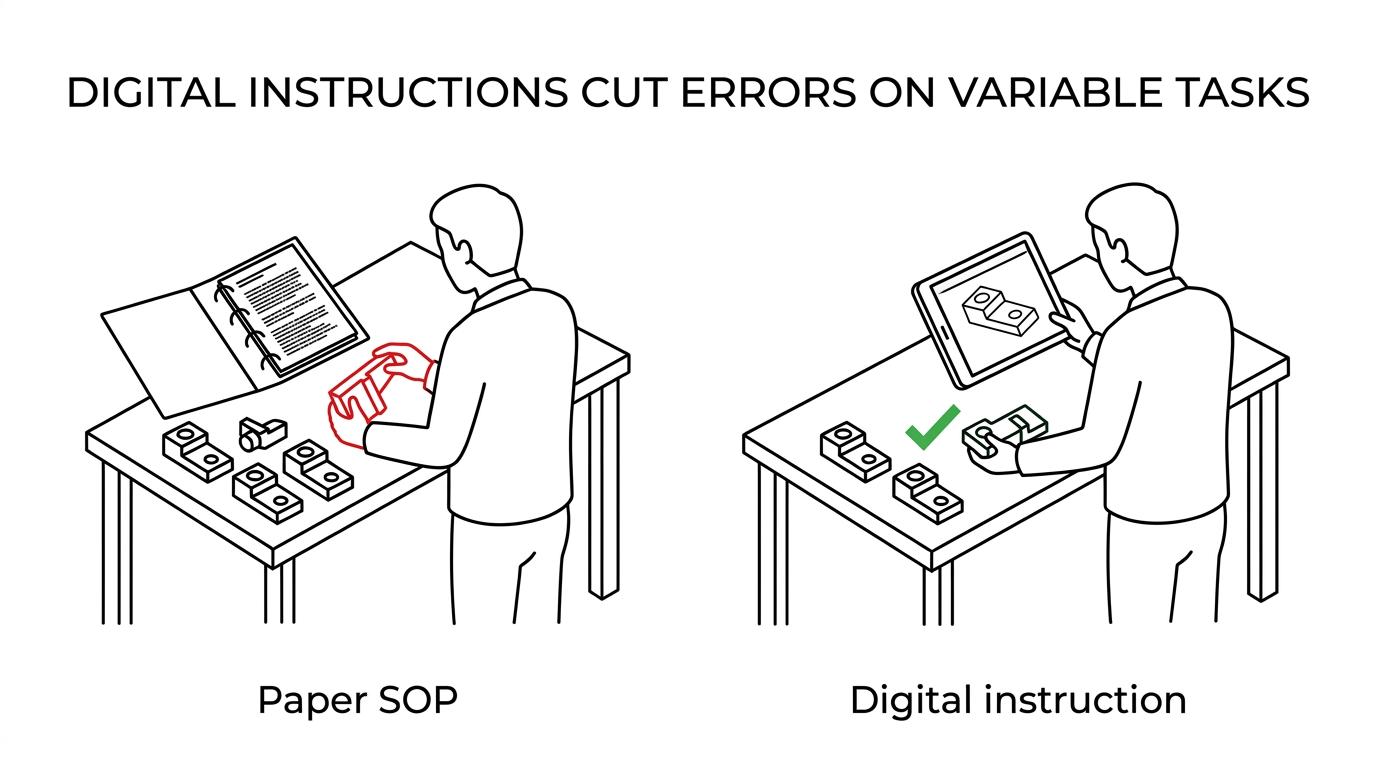
The performance gap is not just theoretical. The U.S. Department of Energy’s Kansas City National Security Campus reported that a study comparing 3D model-based work instructions with traditional 2D work instructions found a 15% scrap reduction on one printed wiring assembly build. The same report estimated $4.1 million in savings from that scrap reduction and cited an additional 15% cost avoidance when animation prevented further scrap-causing issues.
Paper has strengths. It is cheap, easy to print, and familiar to every supervisor. It can still be the right tool for stable housekeeping tasks or low-risk routines. Digital systems introduce software administration, device management, and update discipline. If that discipline is weak, the plant may simply trade binder chaos for screen chaos.
A common misconception is that digitizing paper always creates clarity. It does not. If the original instruction is vague, outdated, or written around assumptions that new operators do not share, moving it onto a screen preserves the same weakness.
How do you convert paper procedures into digital work instructions?
Start by mapping the real job, not the old document. Gyroid Technologies Pvt. Ltd. is relevant here because engineering-accurate 3D visualization can help plants rebuild procedures around actual machine behavior, operator decisions, and safety controls.
Step one is direct observation. Watch the job on the floor, record how experienced operators actually complete it, and identify where the documented method differs from the real one. This is often where hidden risk appears.
Step two is task design. Break the work into critical steps, key points, and reasons, which mirrors the logic behind Job Instruction. Identify what must never be missed: safety interlocks, measurement points, tool settings, part orientation, or contamination controls.
Step three is format selection. If the task depends on motion or internal geometry, use video or 3D animation. If the task changes by product variant, use branching logic. If the task is mostly confirmation and measurement, a simpler visual checklist may be enough.
Pro tip: do not begin by asking what software to buy. Begin by asking what error or delay you are trying to remove. That question usually decides the level of media and interaction you need.
How should a plant pilot digital work instructions on one line?
Pilot one constrained process with measurable pain, like a high-scrap assembly cell or a frequent changeover. One product family and one supervisor are enough to show whether digital instructions improve cycle time, first-pass yield, or training speed.
Start with a baseline. Measure defects, rework, scrap, task time, training time, and calls for supervisor help before any change. Then build a limited pilot with one defined workflow and a controlled operator group. If the process includes known variants, include them. If it does not, keep the pilot narrow.
Next, run the pilot long enough to capture normal variation. Compare before and after results, but also listen to operators. If the instruction is visually impressive yet still confusing at the point of use, adoption will stall.
Useful pilot criteria often include:
- High error cost: scrap, rework, or missed inspections
- High training burden: new hires, cross-training, or seasonal staffing
- High task variability: product variants, setup differences, or conditional steps
- High safety exposure: hazardous energy, chemical handling, or process upset risk
A common mistake is choosing the easiest job for the pilot. Pick a process painful enough to matter, but bounded enough to manage.
How do you keep digital work instructions current after engineering changes?
Tie updates to engineering change control and quality review. NIST’s digital thread work shows that product models, manufacturing instructions, and quality activities should feed each other instead of drifting apart.
The practical method is simple. First, trigger instruction review whenever there is an engineering change, management of change event, tooling change, or NCR-driven corrective action. Second, update the visuals and step logic before the revised process reaches the floor. Third, retire old versions and document who was retrained.
If a tolerance changes, then the inspection reference must change too. If a new fixture is introduced, then the setup sequence and safety checks must change with it. If the plant changes only the drawing but not the instruction, operators are left managing a broken system.
Pro tip: show revision status visibly inside the instruction itself. Operators should not have to guess whether the version on screen matches the latest approved method.
When should you use video, 3D animation, or interactive 3D instead of static screens?
Use richer media when motion, internal geometry, or sequence timing matters. Gyroid Technologies often fits tasks involving machinery operations, plant workflows, or safety training where a static screenshot cannot show what rotates, flows, locks, or clears.
Static screens are enough when the operator mainly needs identification, order, and simple confirmation. Video works well when a real-world demonstration is the clearest way to show hand placement, tool movement, or ergonomic posture. 3D animation becomes stronger when the internal process is hidden, dangerous, or too expensive to film during production. Interactive 3D is most useful when users need to inspect components, select variants, or learn spatial relationships.
“Gyroid Technologies supports industrial training with 3D animation, interactive modules, and SOP digitization when plants need clearer visual explanation of complex systems.”
A common misconception is that richer media is always better. It is not. If the task is short and repetitive, too much media can slow execution. Match the format to the failure mode. Use static for quick confirmation, video for observed motion, and 3D for hidden mechanisms or hazardous sequences.
What compliance and documentation requirements can digital work instructions support?
They support training records, refresher schedules, and controlled safe-work procedures. OSHA process safety management rules are a clear example, especially for lockout/tagout, confined space entry, and opening process equipment or piping.
In covered operations, OSHA requires employers to develop and implement safe work practices for these tasks. OSHA also requires refresher training at least every three years, or more often if needed, so employees understand and follow current operating procedures. Training records must include the employee identity, the date of training, and the means used to verify understanding.
Digital work instructions help by making the current approved method easier to distribute and easier to verify. They can also support evidence of retraining after updates. Still, they do not replace the need for formal procedure governance, permits, or competent supervision. A screen cannot stand in for a full safety management system.
If your plant is in chemicals, pharma, oil and gas, or another tightly controlled environment, this documentation value may matter as much as the productivity value.
Which KPIs show whether digital work instructions are working?
Track defect rate, first-pass yield, scrap, training time, task time, and audit findings. If digital work instructions are useful, those numbers should move within one to three production cycles for repetitive work.
Start with outcome metrics. Scrap and rework are often the clearest signal because they tie directly to instruction quality and execution. In maintenance, mean time to repair and repeat failure rate can be stronger indicators. In training, time to independent performance and supervisor interventions are usually more revealing than completion rates alone.
Then watch leading indicators. Are operators opening the instruction? Are they spending too long on one step? Are certain variants producing more help requests? If yes, the content may be unclear, the branching may be wrong, or the task may need richer visuals.
The strongest programs use both production and learning data. If the training record looks perfect but defects remain high, the instruction may be checked without being understood. If task time rises at first but rework falls sharply, that can still be a good trade in high-cost processes.