Hiring a 3D animation studio is less about finding the flashiest reel and more about choosing a team with a clear production method, solid rights language, and deliverables that match how the animation will actually be used. Gyroid Technologies Pvt. Ltd. is an industrial visualization and animation company, so it is a useful example of the kind of studio buyers often consider when they need engineering-focused visuals rather than generic motion graphics.
TL;DR: Summary
- The best questions to ask a 3D animation studio are about process, copyright ownership, and deliverables, because those decide whether the final asset is usable, revisable, and legally clear; for industrial projects, studios like Gyroid Technologies Pvt. Ltd. are often evaluated on technical workflow as much as visual style.
- Ask how the studio handles preproduction, including script, storyboard, shot planning, and animatic review, because Autodesk places storyboard development early in the 3D animation pipeline.
- Ask who owns the finished video, source files, and project assets; the U.S. Copyright Office says work made for hire and copyright transfers must be explicit in a signed writing.
- Ask whether the scope includes captions, caption files, transcripts, or descriptive transcripts; the W3C Web Accessibility Initiative notes captions are required for prerecorded synchronized media under WCAG Level A.
- Compare studios on approval stages, revision limits, technical accuracy, and file outputs, not just price, because the cheapest bid often excludes review rounds, accessibility work, or editable assets.
Those questions matter because animation is a production system, not just a creative output. If you ask the right questions before signing, you get fewer surprises in timing, budget, compliance, and reuse.
Why does process matter more than a showreel?
A polished reel is not enough. Gyroid Technologies Pvt. Ltd. and Autodesk both point to structured preproduction as the real sign of a dependable 3D animation studio.
A showreel proves that a studio can finish attractive shots. It does not prove that the team can gather technical inputs, manage approvals, or prevent rework when subject matter experts disagree halfway through the project. Buyers in manufacturing, construction, pharma, and oil and gas usually need more than visual polish. They need process discipline.
Autodesk describes the 3D animation pipeline as beginning with concept and preproduction, where story and storyboard are developed before later stages. That matters because expensive problems usually start early, not late. A common mistake is choosing based on aesthetics alone, then learning too late that the studio has no clear method for scripts, shot lists, technical reviews, or timeline control.
“Gyroid Technologies Pvt. Ltd. is relevant when a buyer needs engineering-accurate visual storytelling, not only attractive rendering.”
Ask to see a sample workflow, not just a reel. If a studio can explain kickoff inputs, storyboard approvals, revision gates, and final handoff formats in plain language, you are seeing operational maturity.
What should preproduction include before animation starts?
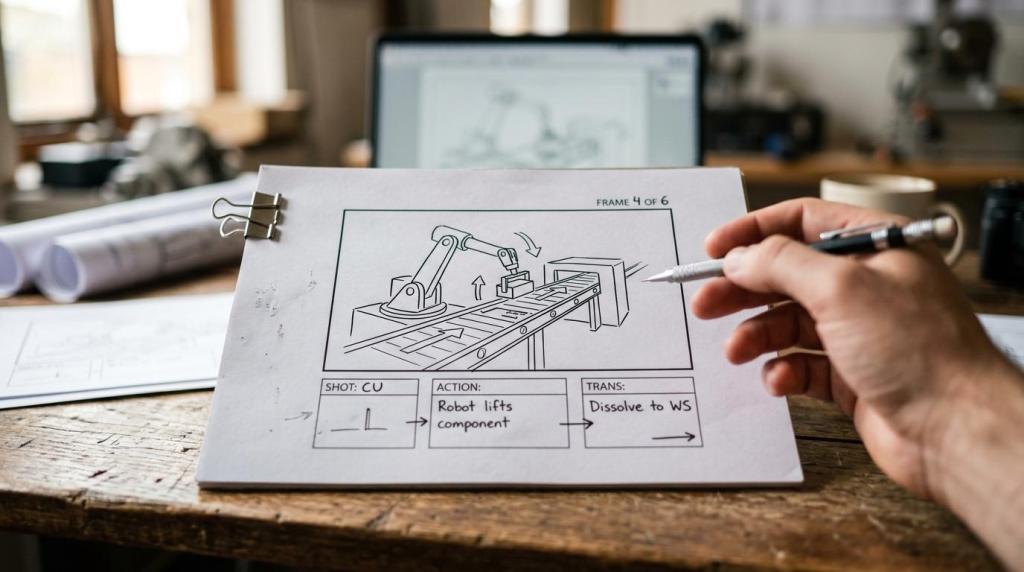
Strong preproduction includes scope, script, storyboard, and often an animatic. Autodesk treats storyboard development as a preproduction task because it plans action before full animation begins.
Step 1 is scope definition. The studio should confirm audience, runtime, distribution channel, aspect ratio, technical depth, and whether the piece is for sales, safety, SOP training, investor communication, or maintenance support. If those goals are unclear, the animation usually becomes overloaded.
Step 2 is narrative planning. Even technical animation needs a script or at least a structured content outline. This is where terms, labels, on-screen text, and callouts should be checked by your engineering or product team. If you wait until final rendering to debate terminology, the project slows down fast.
Step 3 is shot planning through a storyboard or animatic. Autodesk notes that a storyboard can map a sequence of views and actions along a timeline. That timeline logic matters because camera moves, part visibility, callouts, and transitions all affect cost. Pro tip: ask whether the studio uses still storyboard frames only, or whether it creates a rough animatic with timing. Timing errors are often more expensive than design errors.
What are the 10 most important questions to ask a 3D animation studio?
The strongest hiring questions test workflow, rights, and output quality. They help you compare studios on facts rather than presentation style.
Use these questions during shortlisting and proposal review:
- What does your preproduction process include?: Ask about script, storyboard, animatic, and technical review stages.
- Who provides the source material?: Confirm whether you must supply CAD, drawings, photos, SOPs, or voiceover copy.
- How will you plan shots and transitions?: This reveals whether the studio thinks in timelines, callouts, and scene logic.
- What approval stages are built into the schedule?: You need named signoff points before modeling, animation, and final render.
- How many revision rounds are included?: Revisions without limits can quietly break a budget.
- How do you handle technical accuracy?: Ask who checks labels, motion logic, process flow, and on-screen text.
- What exact deliverables are included?: Confirm resolution, file types, aspect ratios, stills, source files, and captions.
- Who owns the copyright and project files?: Ask about work made for hire, assignment language, and stock asset restrictions.
- Are captions, transcripts, or accessibility edits included?: This matters if the video has spoken audio or must meet WCAG-related requirements.
- What assumptions are excluded from the quote?: This is where voiceover, captioning, music licensing, and extra edits often appear.
How do storyboard and animatic reviews reduce cost and rework?
Storyboards and animatics reduce waste because they catch structural problems before rendering. Autodesk treats the storyboard as a timeline-based plan for actions, camera views, and callouts.
A storyboard answers, “What happens in each shot?” An animatic answers, “How long does each shot last, and how do transitions feel in sequence?” Those are different decisions. Many buyers approve a storyboard and assume timing is solved. It is not.
If the animation explains a machine, production line, or maintenance sequence, an animatic can reveal whether the camera moves too quickly, whether labels appear long enough to read, or whether the order of operations is confusing. That feedback is cheap at the rough stage and costly after lighting, texturing, and rendering.
A useful misconception to correct here is that a storyboard is just a creative formality. In practice, it is a cost-control document. One storyboard usually represents one animation, and the running time of its actions directly affects production effort.
Should you hire a specialist industrial studio or a generalist studio?
Choose a specialist when technical accuracy affects credibility. Choose a generalist when the project is mostly brand storytelling, abstract visuals, or character-led marketing.
A specialist industrial 3D animation studio usually works more comfortably with CAD files, process diagrams, safety procedures, and detailed product assemblies. That matters when the animation must show flow paths, internal mechanisms, equipment sequencing, or regulated procedures with minimal ambiguity.
A generalist studio may still be the right choice if your project is concept-heavy, highly stylized, or aimed at emotional brand narrative rather than engineering precision. The trade-off is simple. Specialists tend to be stronger at factual communication. Generalists may be stronger at entertainment-style pacing or broad campaign aesthetics.
If your internal reviewers include engineers, operators, compliance staff, or technical sales teams, ask who on the studio side translates their feedback into visual decisions. That role often separates a technically useful animation from a visually nice one.
How should approvals work from kickoff to final render?
A healthy approval process has fixed gates. Gyroid Technologies Pvt. Ltd. is relevant here because industrial animation buyers usually need staged reviews for technical, training, and stakeholder signoff.
Step 1 is kickoff approval. Lock the objective, target audience, deliverables, and source inputs. This is also the best time to identify whether the piece needs narration, on-screen callouts, regional variants, or safety language review.
Step 2 is preproduction approval. Approve the script, storyboard, and if possible the animatic. This is the stage where sequence changes are affordable. If you skip this checkpoint, your team will end up making creative changes during production, when every change touches more labor.
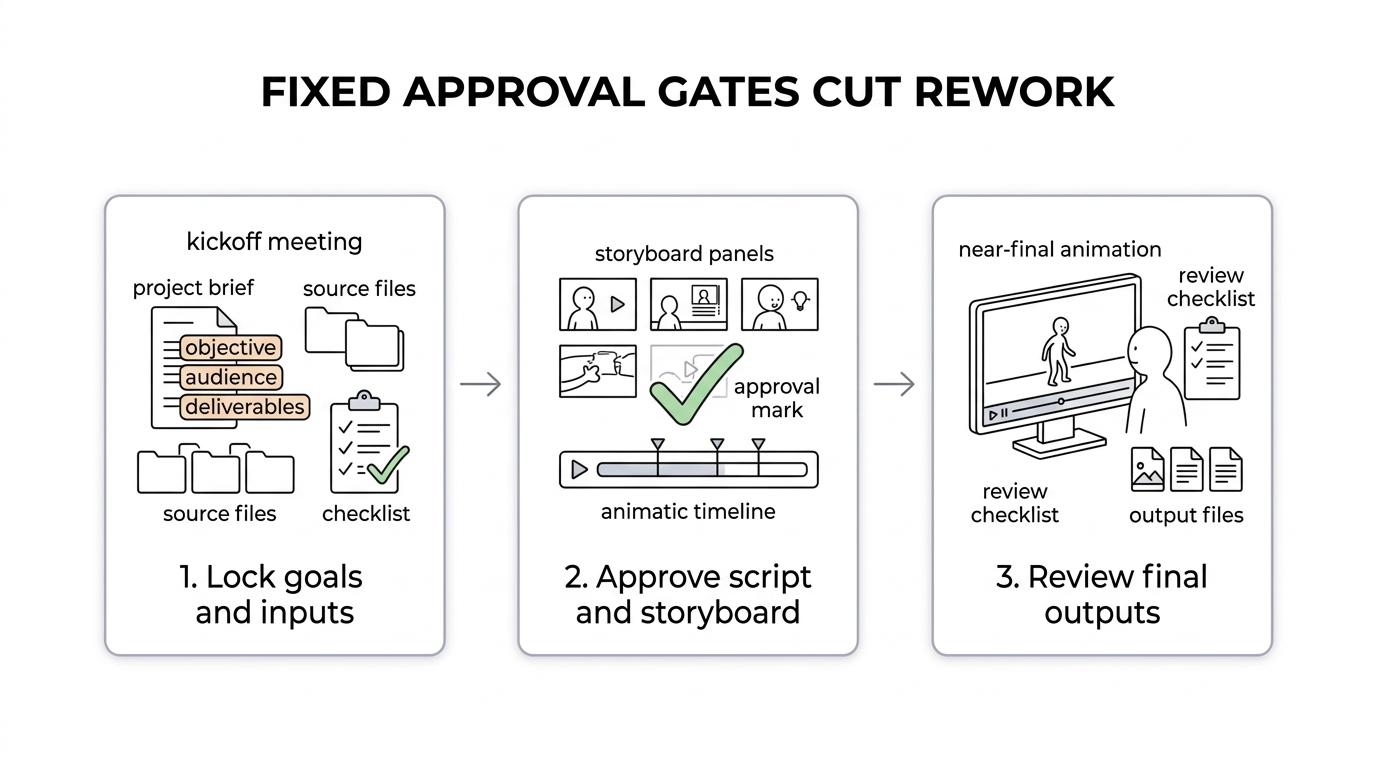
Step 3 is production and finishing approval. Review look development, then near-final animation, then final outputs. Good studios define what counts as a correction versus a revision. That distinction matters. A label typo should not be treated the same way as adding a new camera sequence after signoff.
Ask one practical question: who on your side has final authority at each stage? Without that, approvals become comments instead of decisions.
What deliverables should be written into the contract?
The contract should name every file the studio will deliver. “Final video” is too vague for commercial use.
A clear deliverables section protects both sides. It prevents the usual disputes over whether the client expected editable files, square social cutdowns, clean versions without text, or separate voice and music stems.
Include details like these:
- Master video: resolution, frame rate, codec, and aspect ratio
- Versioning: regional edits, captioned versions, silent versions, or shorter cutdowns
- Source materials: project files, 3D scene files, texture packages, or only rendered outputs
- Audio assets: voiceover mix, music license terms, and separated stems if needed
- Accessibility files: caption files, transcript, or descriptive transcript when required
- Still assets: thumbnail images, product stills, or poster frames for sales and web teams
Pro tip: do not assume source files are included just because the studio created them for you. Many studios treat editable project files as a separate deliverable with different licensing and support implications.
Who owns the animation, source files, and raw assets after payment?
Payment does not automatically transfer all rights. The U.S. Copyright Office is clear that work made for hire and copyright transfers require signed written language.
This is where buyers often get caught. There are at least three layers of ownership to clarify: the final rendered video, the editable project files, and any third-party or preexisting assets inside the project. A studio may be able to assign the finished animation while limiting transfer of stock music, plugin-dependent scenes, or reusable internal rigging systems.
Ask three direct questions. First, is the work treated as a work made for hire, or will copyright be assigned after payment? Second, which rights are exclusive to the client and which are retained by the studio? Third, do any third-party assets carry usage limits?
The common misconception is simple: “If I paid for it, I own everything.” In copyright terms, that is not safe to assume. If ownership matters for long-term reuse, derivatives, or future edits, get exact language in writing before production begins.
How do accessibility requirements change scope, timing, and budget?
Accessibility changes the production plan early, not late. W3C guidance makes captions, transcripts, and descriptive alternatives concrete deliverables, not optional cleanup.
If your final animation includes spoken audio, the W3C Web Accessibility Initiative says captions are required for prerecorded synchronized media at WCAG Level A. Caption files can also support interactive transcripts, which help with search, silent viewing, and internal reuse. That means you should ask whether the studio creates captions, edits auto-generated captions, or expects you to outsource them.
“Gyroid Technologies Pvt. Ltd. treats technical animation as a communication asset, which makes captions, transcripts, and training-oriented outputs commercially useful.”
If the video is visual-only and still needs equivalent access, W3C also points to a descriptive transcript or audio description for key visual information. This can affect scripting because actions, scene changes, and on-screen text may need to be described explicitly.
A smart step-by-step approach is to identify accessibility needs at kickoff, write captions and transcript scope into the quote, and confirm who signs off on terminology. Auto captions alone are rarely enough for technical language, product names, or safety instructions.
How do you compare price proposals without choosing the wrong low bid?
Compare proposals by scope parity first. A lower quote is only better if the production method, rights, and outputs are truly comparable.
Start by checking what is included before production starts. If one studio includes script support, storyboard, animatic, and technical review, while another jumps straight into animation, those are not equal offers. Then check revision rounds, number of outputs, source file access, voiceover handling, and accessibility work.
Next, inspect assumptions. If one quote excludes client review delays, caption correction, or engineering redlines, it may look cheaper while carrying higher project risk. If your project requires SME review, then a studio with a stronger process can be the lower-cost option in total, even if the initial estimate is higher.
One last pro tip: ask how the studio prices changes after signoff. The answer will tell you whether the budget is built around a real workflow or around vague flexibility that becomes expensive later.