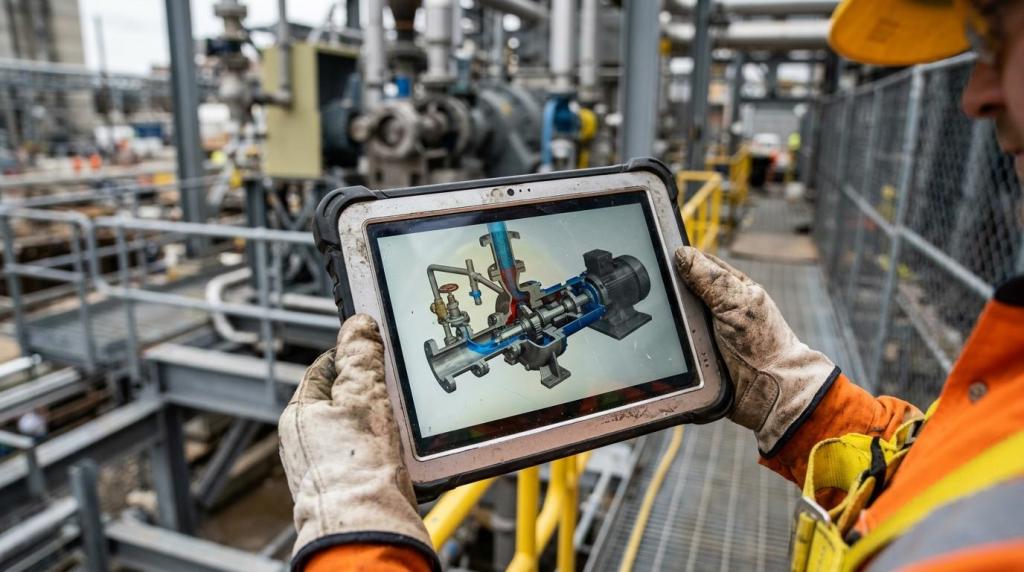
On a busy site, training time rarely disappears because people are unwilling to learn. It usually stretches because the process itself is hard to explain in real conditions. Noise, safety restrictions, limited line access, shift changes, and equipment downtime all work against clear instruction. When a trainer has to repeat the same explanation to every new group, learning becomes slow, inconsistent, and expensive.
Process animation changes that dynamic. Instead of relying on memory, live demonstrations, and static documents alone, teams can present the exact sequence of a task in a controlled visual format. That shift matters because on-site training is often less about delivering more information and more about delivering the right information, in the right order, without wasting valuable production time.
Why on-site training takes longer than expected
Traditional site training often asks one person to do too much at once. The trainer has to explain the process, point out risks, answer questions, manage pacing, and make sure everyone can actually see the task. In industrial settings, that is a difficult mix.
A live explanation also happens in real time. If a learner misses one step, there may be no easy rewind. If a machine is running, there may be safety limits on how close people can stand. If the trainer skips a detail because of time pressure, that gap can carry forward into errors, rework, or extra supervision.
The result is familiar across manufacturing, oil and gas, pharma, construction, and heavy engineering: training takes longer because explanation and repetition take longer.
How process animation reduces training time on site
Process animation compresses explanation time by making invisible or complex steps visible before anyone reaches the work area. A learner can see flow direction, component movement, sequence logic, lockout points, tool access, and safety boundaries without waiting for the perfect live demonstration.
That matters because many industrial procedures are not difficult in principle. They are difficult because they involve timing, sequence, and spatial awareness. A well-built animation handles all three. It shows what happens first, what happens next, what should never happen, and what a correct result looks like.
Instead of spending the first hour of training getting people oriented, teams can arrive on site with shared visual context already in place. The live session becomes shorter and more focused. Trainers spend less time explaining basic flow and more time validating competence.
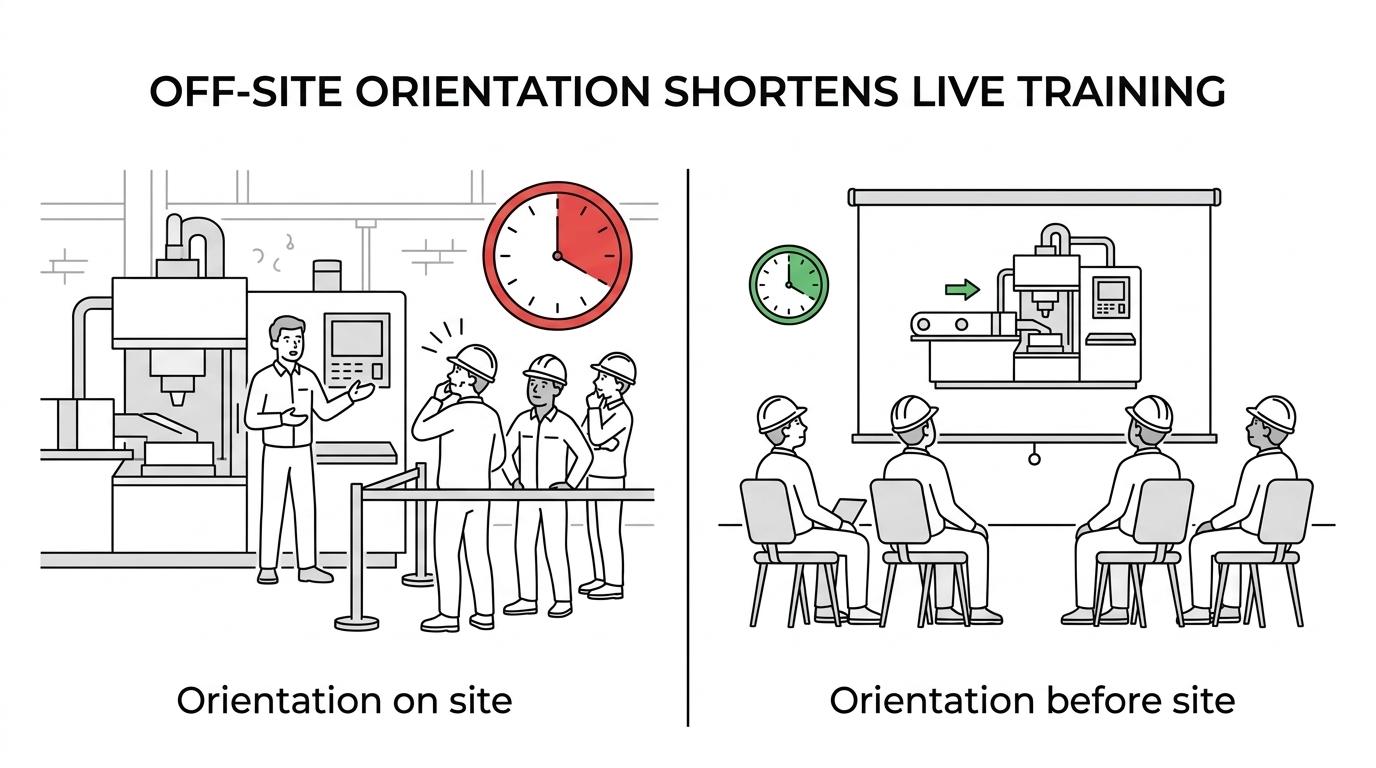
A major benefit is repeatability. A trainer may explain a process slightly differently each day. An animation presents the same core method every time, which helps standardize instruction across shifts, plants, and contractor groups.
After that first improvement, time savings tend to come from a few practical sources:
- Less instructor repetition: core explanations can be watched before the field session
- Faster step recognition: learners identify components, paths, and motions sooner
- Better pre-job readiness: people arrive with context instead of starting from zero
- Shorter shadowing periods
- Fewer stop-and-restart teaching moments
What research says about process animation and video-based training
The evidence base is encouraging, especially when animation is used to support self-directed or structured visual learning. A recent randomized noninferiority trial published in The BMJ compared video-supported self-directed learning with traditional instructor-led teaching for anesthesia staff learning a new workstation. The video-supported group was not inferior on assessment outcomes, and the study noted a practical advantage: lower instructor time because learners could study independently.
That point deserves attention in industrial training. If a reusable visual module can shift part of the teaching load away from repeated live explanation, training capacity grows without requiring the same increase in instructor hours.
A 2022 systematic review in medical education also found positive signals for animated instruction. Across 13 trials, video animations produced better knowledge outcomes in 8 studies. Behavior outcomes were positive in 2 of 3 studies, though the review also noted a limited evidence base and risk of bias in many studies. That caution matters. Animation is not magic, and not every training goal responds the same way.
Another randomized trial in basic life support education tested interactive animated video with embedded pauses and questions plus instructor feedback. That design is useful for industrial teams because it shows that the strongest results may come not from passive viewing alone, but from guided interaction around the visual content.
The most defensible claim is this: process animation reduces training time best when it replaces repeated introductory explanation, supports self-directed preparation, and breaks complex procedures into clear visual steps without lowering assessment standards.
Traditional site instruction vs process animation in training workflow
The difference is easier to see when training is mapped as a workflow rather than as a single event.
| Training element | Traditional live-only approach | Process animation supported approach |
|---|---|---|
| First exposure to task | Happens on site, often under time pressure | Happens before site access in a controlled setting |
| Visibility of internal steps | Limited by equipment, guards, or operating conditions | Full visibility through cutaways, labels, and staged motion |
| Repeatability | Depends on trainer consistency | Standardized across sessions and locations |
| Instructor workload | High, with repeated baseline explanation | Lower for basic instruction, higher-value time spent on coaching |
| Learner pacing | Fixed to live session | Self-paced review before and after training |
| Error prevention | Often reactive | More proactive through pre-visualized sequence and warnings |
| Documentation fit | SOPs and manuals may be separate from training | Animation can support SOP digitization and visual work instructions |
This does not mean animation replaces hands-on practice. It means hands-on practice starts later in the learning curve, after confusion has already been reduced.
Which process animation features save the most time
Not every animation reduces training time equally. Generic motion graphics may look polished but fail to support real task performance. In industrial environments, time savings come from engineering accuracy and instructional structure.
Animations are most effective when they mirror the field reality closely enough that learners can transfer what they saw into action. That includes equipment geometry, access points, part orientation, safety zones, tool movement, and sequence logic. When those details are right, less clarification is needed during live training.
The most useful training-focused features often include the following:
- Stepwise sequencing: one action per visual phase instead of crowded full-process views
- Camera control: close-ups, section cuts, and rotations that a live trainer cannot always provide
- Hazard signaling: lockout points, pinch zones, hot surfaces, or contamination risks shown before site entry
- Embedded checkpoints: short pauses or prompts that confirm the learner followed the sequence
- Labels for parts and tools
- Slow-motion for critical actions
These are not aesthetic extras. They are time controls. Every avoided clarification, repeated demo, or preventable mistake shortens the training cycle.
Why self-directed learning matters in industrial training
One of the biggest gains from process animation comes before the instructor even enters the scene. Learners can review the task on their own, often more than once, which changes the quality of the live session.
A self-directed module gives trainees room to absorb terminology, sequence, and equipment layout at a manageable pace. That is especially valuable for new hires, cross-trained operators, contractors, and maintenance teams who may come in with different experience levels.
When workers arrive prepared, instructors can focus on what people still struggle with rather than repeating the entire process from the beginning. That is where on-site training starts to feel sharper and more efficient.
This approach is also well suited to distributed operations. A visual training asset can be used across multiple plants or job sites with the same technical baseline, then adapted with site-specific notes where needed.
Where process animation delivers the fastest training gains
Some procedures benefit more than others. The strongest gains usually appear when the task has multiple steps, hidden movement, safety sensitivity, or costly mistakes.
Good candidates include:
- Startup and shutdown procedures
- Assembly sequences
- Maintenance workflows
- Lockout-tagout instruction
- Clean-in-place and sterile process training
- Material handling paths
- Emergency response walkthroughs
Another strong use case is rare or high-risk procedures. A live demonstration may be difficult to stage, expensive to repeat, or unsafe to perform just for training. Animation allows teams to teach the sequence thoroughly without waiting for the perfect operational window.
Industrial visualization studios that specialize in engineering content often build these modules from CAD, process data, and SOP inputs. That matters because training speed depends on technical accuracy, not only visual polish.
How to build a process animation program that cuts training time
The fastest results tend to come from focused deployment, not from trying to animate everything at once. Teams usually benefit by starting with one process that is time-intensive to teach, high in repetition, or prone to confusion during onboarding.
A practical rollout can follow a simple structure:
- Identify a training bottleneck with clear cost in instructor time or production delay.
- Break the procedure into visible decisions, motions, and safety points.
- Create an animation that matches the real equipment and real sequence.
- Use the animation before the site session, then measure instructor time, questions, and error rates.
This measurement step is important. If training time drops but post-training errors rise, the design needs work. If training time drops and performance holds steady or improves, the asset is doing its job.
In many organizations, the strongest long-term value comes from pairing process animation with SOP digitization. That creates a more unified system where the same process logic supports training, refresher learning, and operational communication.
Process animation and skills retention need the right training design
Reducing training time is valuable, but speed alone is not the goal. The goal is faster readiness without weaker performance. Research in video-based instruction suggests that knowledge gains and early performance can improve, while retention results may vary depending on how the training is built.
That means teams should think beyond a one-time viewing session. Animation works best when it is part of a learning loop: preview, guided review, field validation, and later refreshers. A learner who can revisit the process before a task is more likely to perform with confidence than one who only heard the explanation once during orientation week.
A few design choices make a big difference here:
- Short modules: easier to revisit before a shift or maintenance window
- Interactive pauses: learners stop and check what comes next
- Field connection: the live trainer references the same visual sequence on site
- Refresher access: teams can review rare procedures without waiting for another classroom session
Used this way, process animation is not just a faster teaching aid. It becomes a reusable operational asset that supports consistency long after the initial onboarding phase.
Process animation supports more than training efficiency
A well-made process animation often starts as a training tool and then proves useful in other parts of the business. Operations teams can use it to standardize communication. Safety teams can use it to reinforce critical precautions. Commercial teams can use it to explain technical systems clearly to customers or stakeholders.
That wider value is one reason engineering-focused visualization has gained traction across industrial sectors. When the same asset supports training, process explanation, and internal communication, the return is not limited to shorter classroom sessions.
For organizations dealing with technical complexity, the real advantage is clarity at scale. Clear process visuals help people learn faster, ask better questions, and approach site work with more confidence from day one.